

Activating the Catalyst Practitioner Experience
Follow these simple instructions to activate the Catalyst Practitioner Experience after you purchase.
Step-by-step PDF instructions: activating the Catalyst Practitioner Experience (1.5 MB)
Instructions
- Log in to Catalyst.
- Make sure you've activated the Catalyst Administrator Experience.
- Check your email for your Catalyst Practitioner Experience confirmation and serial number. This email should come from [email protected].
- Click Account settings then Practitioner experience in the sidebar navigation.
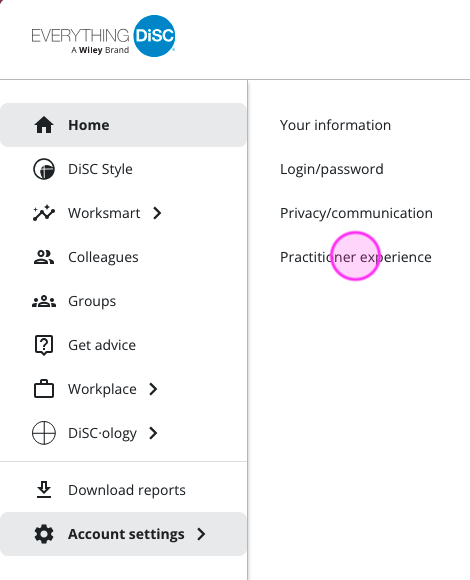
If you don't see Account settings, go to the top right of the page and click on Go to learner or your name. - Enter the serial number.
- Click Redeem.
- Click Practitioner resources in the left navigation bar to access facilitation content and resources on the page.
- After entering your serial number, check your email within 24–48 hours for login instructions to access the Foundations course and the Practitioner Community on the Wiley Online Training Center.