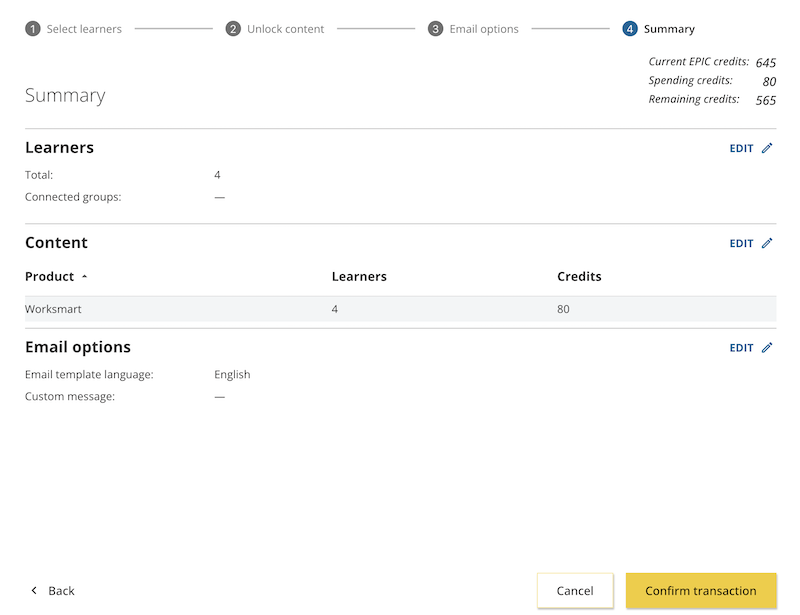


Adding Worksmart
How to unlock Worksmart for learners
Everything DiSC Worksmart offers self-guided 20-minute modules for all learners and 1-hour facilitated modules for managers and leaders.
Instructions
- Log in to Catalyst.
- Click Admin view (top right).
- Select the Organization you will be working in today.
.jpg)
- This will take you to the Active learners page. Check the box to the left of the learners for whom you'd like to unlock Worksmart and click Unlock content at the top right.
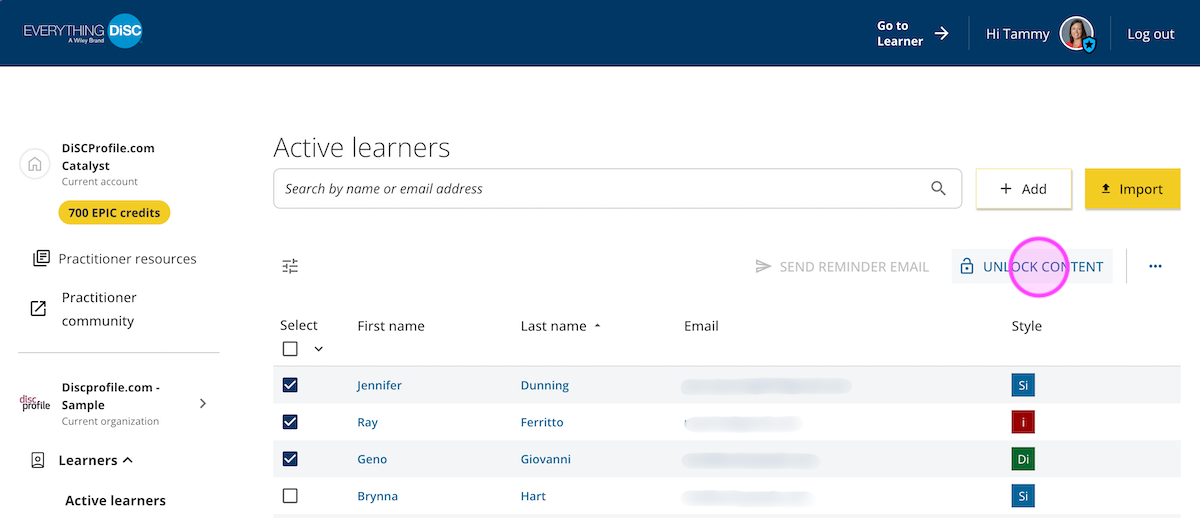
- You can add or remove learners on this screen. When the list looks good, click Select learners.
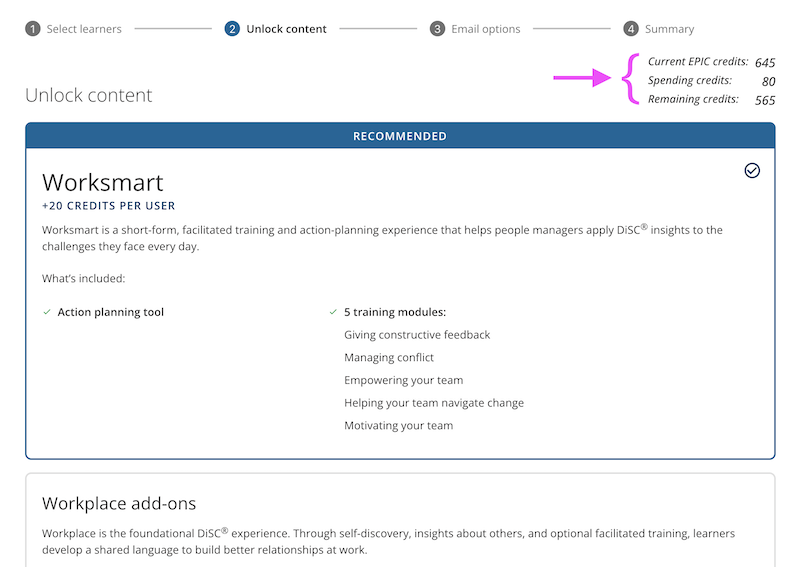
- On the Unlock content screen, select Worksmart (and any other products you'd like to unlock). You'll see your credit total at the top right. Click the Unlock content button.
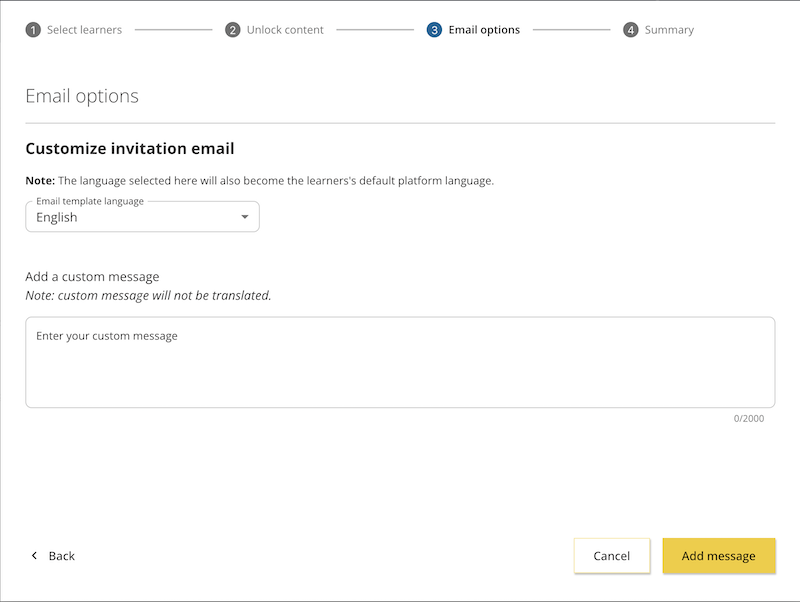
- This brings you to the Email options screen, where you can enter a custom message. Click the Add message button.
- You'll see a summary screen. If everything looks right, click the Confirm transaction button.