


Adding applications for existing learners
You can unlock additional applications on Catalyst using the learner's data entered while taking the Everything DiSC Workplace® on Catalyst™ assessment.
For example, last month everyone on a team took Workplace on Catalyst, and now you want to give the team Everything DiSC® Agile EQ™, also on Catalyst. They won't have to complete another questionnaire. Previous answers will be used to create their Agile EQ profile.
EPIC credits will be used for each new profile.
The instructions below use the admin functions in Catalyst (rather than EPIC). See how to activate Catalyst admin functions.
Instructions
- Log in to Catalyst.
- Click Admin view (top right).
- Select the Organization you will be working in today.
.jpg)
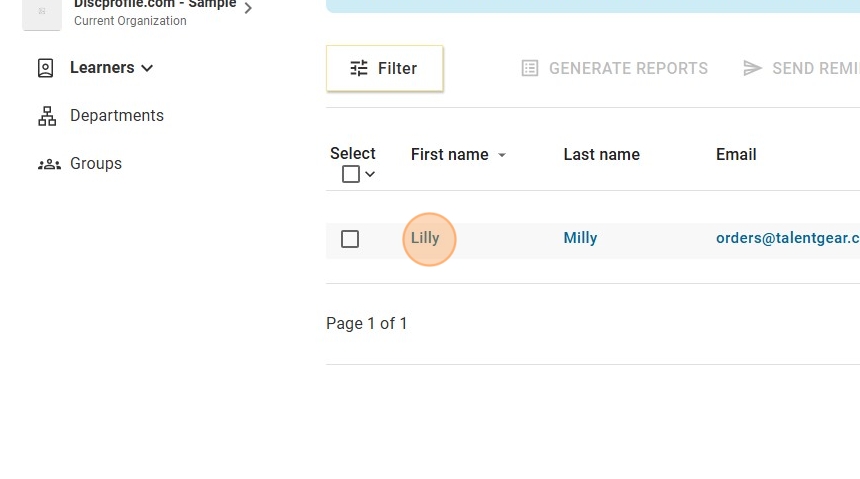
- This will take you to the Active learners page. Click on the name of the learner you would like to add an application to.
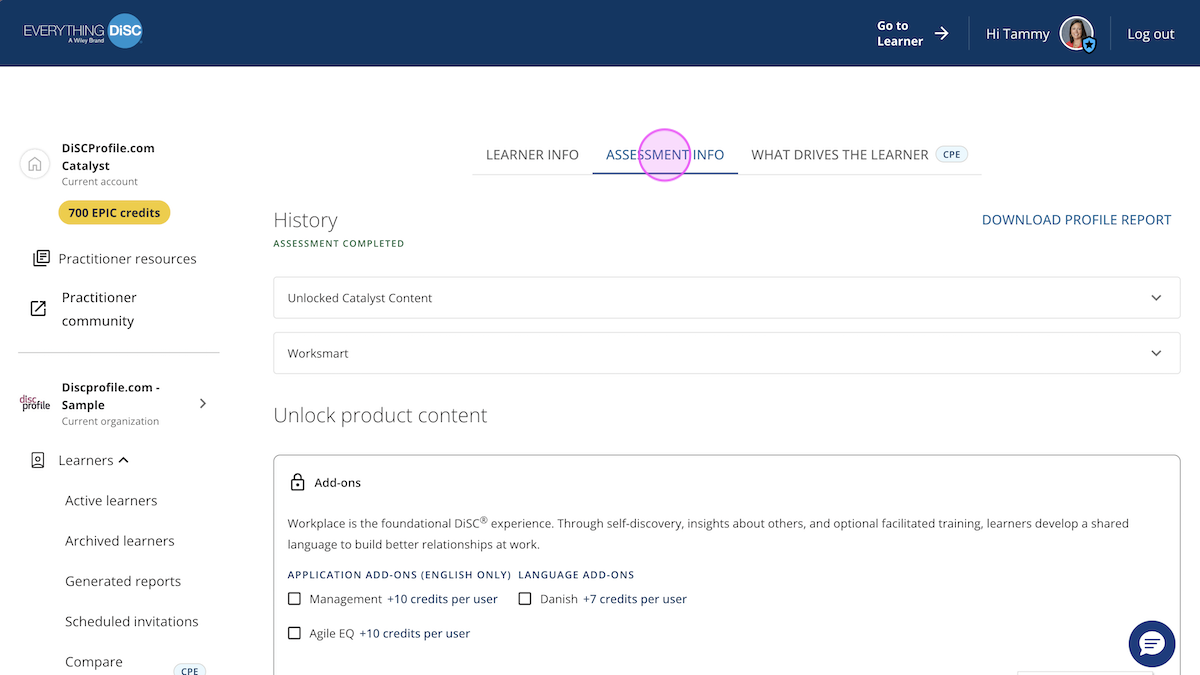
- At the top, select the Assessment info tab.
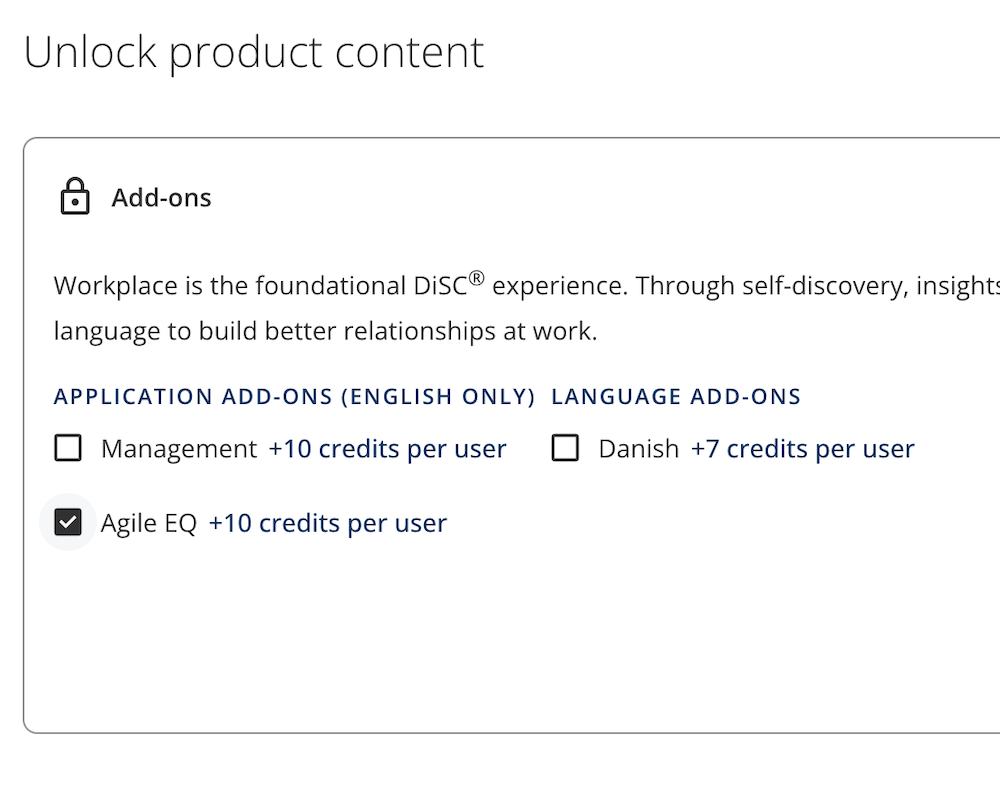
- Under the Unlock product content header, select what new content or application add-ons you'd like to unlock for that learner. Click Unlock Add-ons.
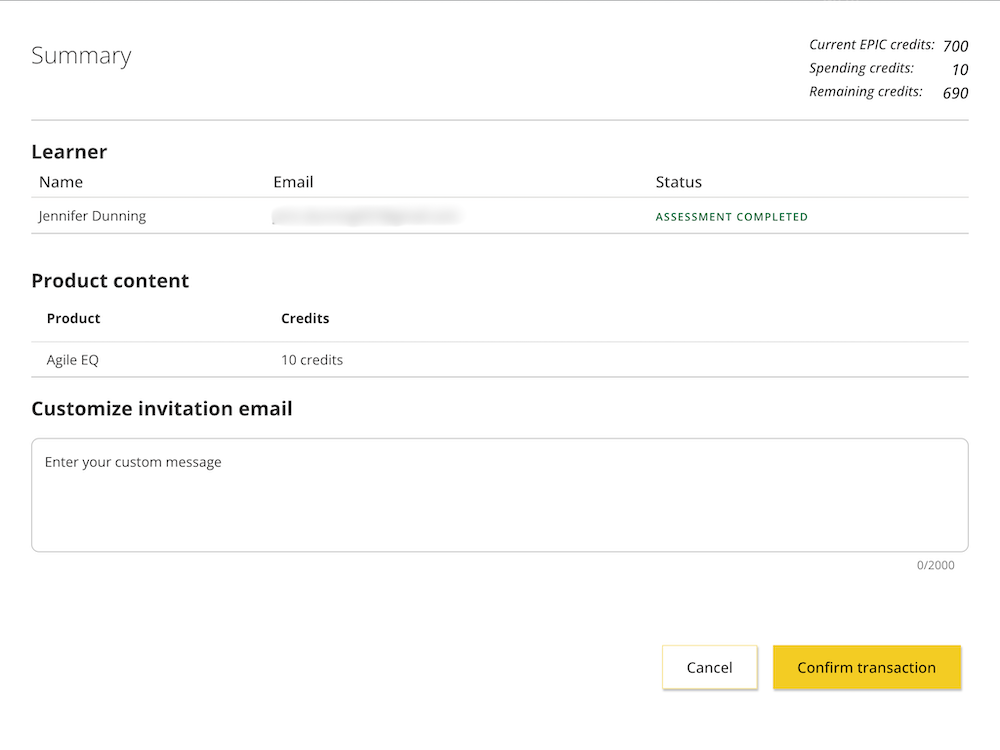
- You'll see a summary where you can add a custom message, if desired. The EPIC credit amount you're spending is displayed at the top right. When ready, click Confirm transaction.
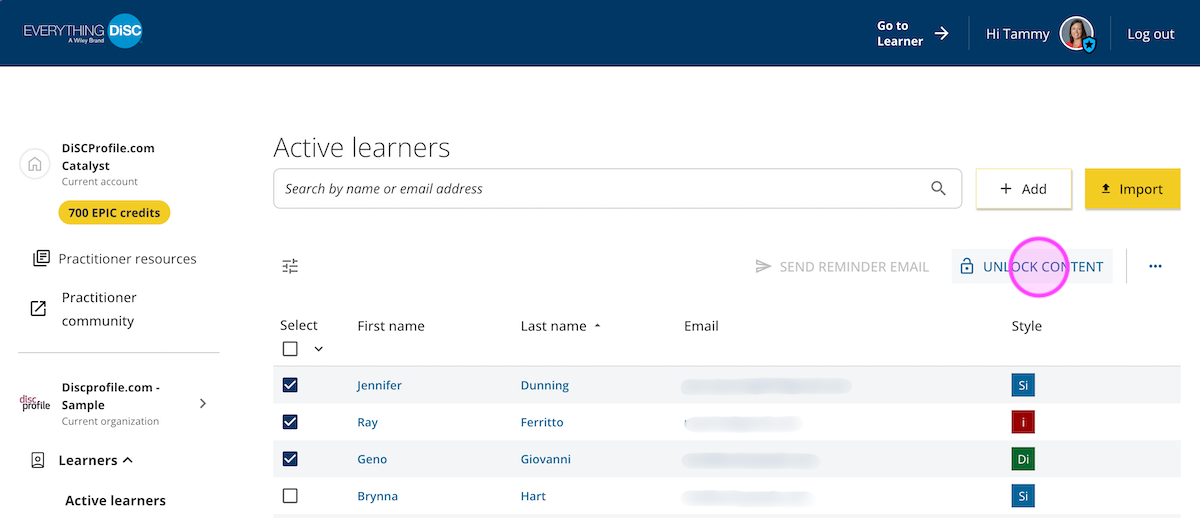
- Alternately, you can unlock content/add applications for several learners at once. On the Active learners screen, check the box to the left of the learners, then select Unlock content at the top right, then follow the prompts.
An email will be sent to the learner(s) notifying them that new content has been added to their Catalyst platform, and they can log in to view the new information.